
Zapier is a leading no-code automation platform that lets you connect thousands of apps together using simple, trigger-based workflows called Zaps.
Instead of writing code, you automate actions by:
- Choosing a trigger
- Mapping fields between apps
- Defining simple rules and conditions
Zapier is widely used by marketers, founders, growth teams, and operations teams to automate workflows quickly and reliably.
Why Use Zapier with Adsroid?
Using Adsroid via Zapier allows you to interact with the Adsroid API without writing any code, directly from your existing tools.
Key benefits:
🚀 Quick setup – create automations in minutes
🧠 Simple logic – trigger → action workflows
🔌 Adsroid Zapier integration – no custom API work required
🔁 Automation-ready – ideal for alerts, reports, and recurring analyses
📊 Native connections with Slack, Google Sheets, Notion, Airtable, CRMs, email tools, etc.
This approach is ideal if you want to:
- Automate Google Ads or Meta Ads analysis
- Trigger Adsroid insights on a schedule
- Send AI-powered recommendations to Slack or email
- Combine Adsroid with your existing marketing stack
Adding Adsroid in Zapier
Adsroid is available as a Zapier integration.
Step-by-step:
- Log in to Zapier
- Click Create Zap
- Choose a trigger app (Schedule, Webhook, Slack, etc.)
- Add an Action
- Search for Adsroid
- If it’s not visible yet, install it using this link:
https://zapier.com/developer/public-invite/234304/ac2d85f2e9a7e6c9f5365aef31c70b11/ - Select Adsroid from the app list
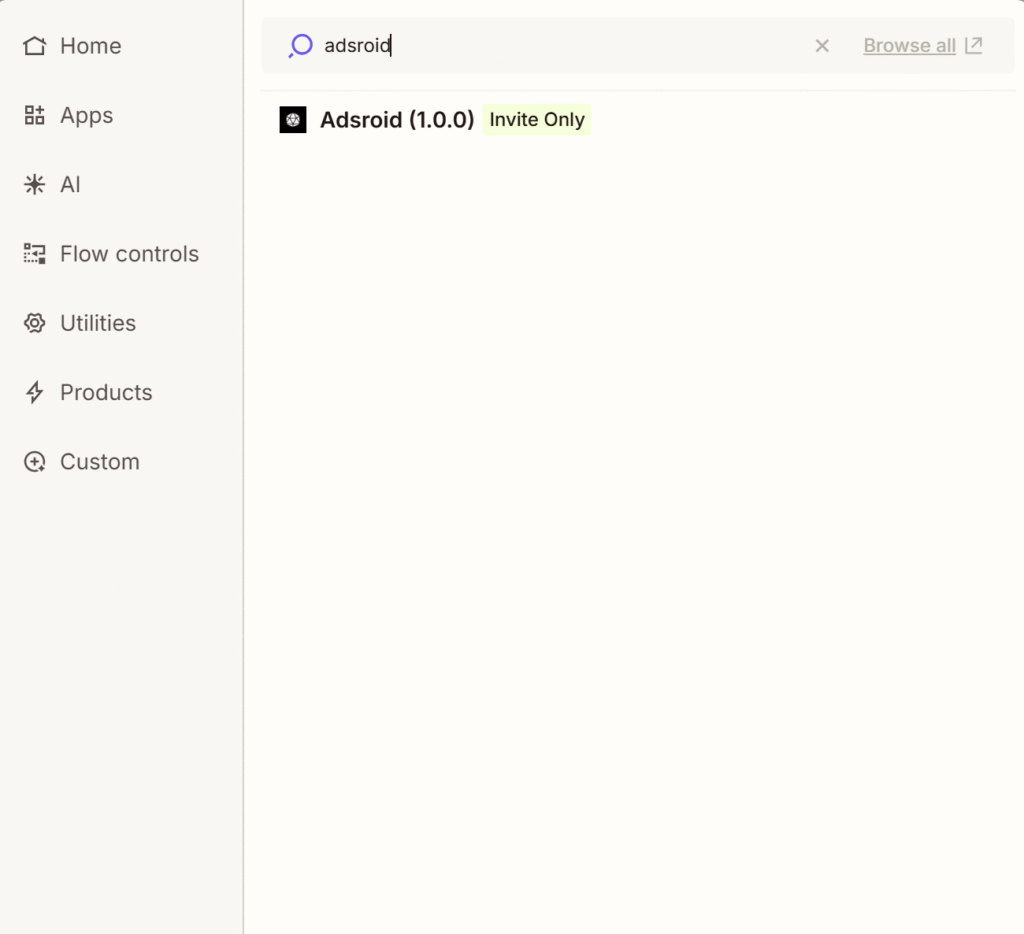
Once selected, Zapier will guide you through the setup.
Connecting Your Adsroid Account
When you use Adsroid for the first time in Zapier, you’ll be asked to connect your account.
You’ll need:
- Your Adsroid API key
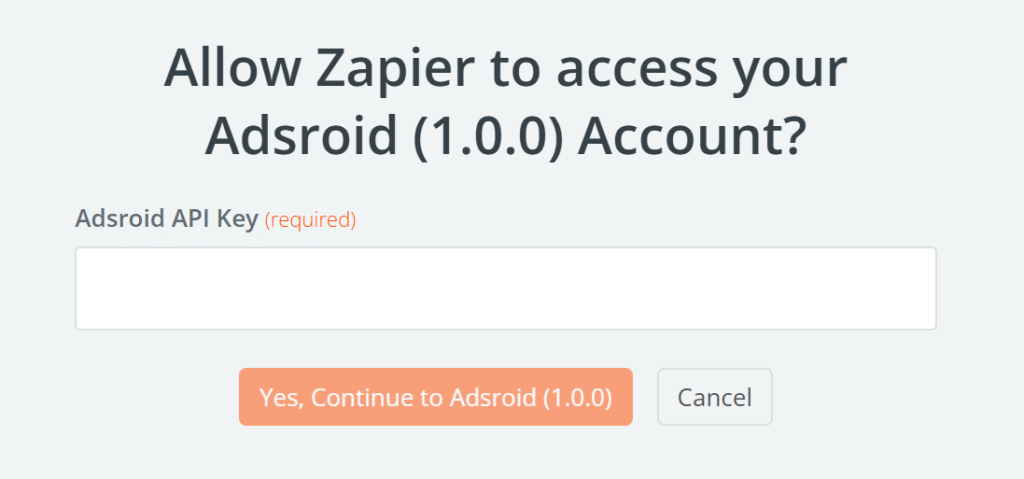
Zapier will automatically handle:
- Authentication
- Request headers
- API formatting
Once connected, the Adsroid connection can be reused across all your Zaps.
Using Adsroid in a Zap
Typical usage pattern:
- Select Adsroid as an Action
- Enter your Organization ID
- Enter your Project ID
- Add your question or instruction (natural language)
- Test the action and publish the Zap
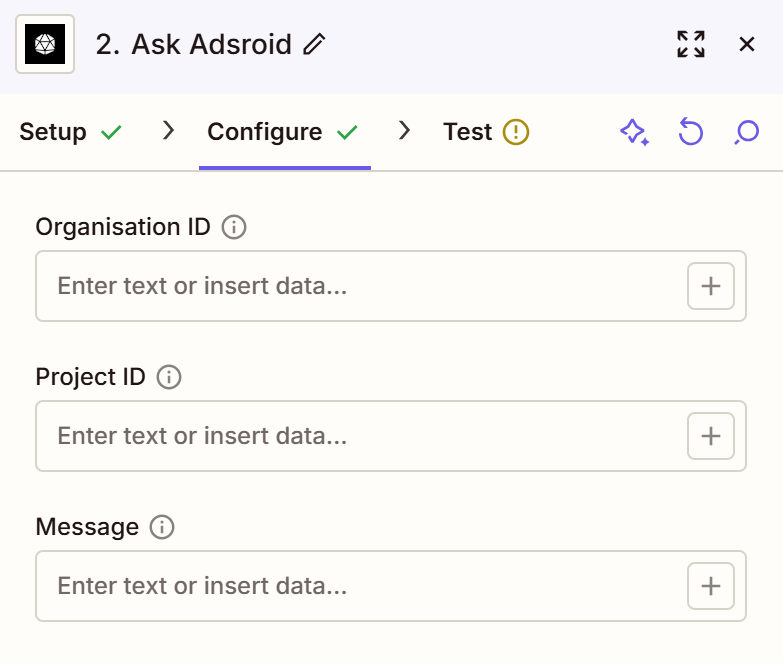
You do not need to manually format JSON or parse responses — Zapier handles this automatically.
Example Use Cases
Example 1: Daily Google Ads Analysis
Zap flow:
- Schedule by Zapier (every morning)
- Adsroid – Analyze my Google Ads account
- Google Sheets – Create row with insights
- Slack – Send summary message
You receive daily AI insights without logging into Google Ads.
Example 2: Budget Alert Automation
Zap flow:
- Schedule by Zapier
- Adsroid – Meta Ads budget & performance analysis
- Filter by Zapier (based on thresholds)
- Slack / Email notification
You’re alerted only when action is required.
Example 3: AI-Powered Recommendations Pipeline
Zap flow:
- Manual trigger / Schedule
- Adsroid – Generate SEA / SEO recommendations
- Notion or Airtable – Store recommendations
- Slack – Notify the team
Ideal for agencies or teams managing multiple accounts.
Understanding Adsroid Outputs
Adsroid actions return structured outputs, such as:
- Status
- Message / Insight / Recommendation
These outputs can be mapped directly to:
- Slack messages
- Spreadsheet columns
- Notion fields
- CRM records
- Conditional logic (Filters)
This makes Adsroid easy to combine with any app supported by Zapier.
Error Handling in Zapier
If an error occurs:
- The Zap will stop at the Adsroid action
- Error details will be visible in Zapier’s task history
Common causes:
- Invalid API key
- Missing required fields
- Account access issues
- Rate limits
For advanced setups, you can:
- Add Filters
- Use Paths
- Send error alerts to Slack or email
When to Use the API vs Zapier
| Use case | Recommended |
|---|---|
| No-code automation | ✅ Zapier |
| Fast setup | ✅ Zapier |
| Scheduled workflows | ✅ Zapier |
| Simple integrations | ✅ Zapier |
| Custom backend logic | API |
| High-volume requests | API |
| Full control | API |
Both approaches are fully compatible and can be used together.
Getting Started
- To start using Adsroid with Zapier:
- Install the Adsroid Zapier app
- Create your first Zap
- Connect your Adsroid account
- Automate your workflows
